Let your PC do the repetitive work.
Deskbo runs the tasks you repeat every day – sorting files, filling in web forms, downloading reports, backing things up – from a workflow you build by dragging steps into place. No code.
runs on your PCno accountno cloud
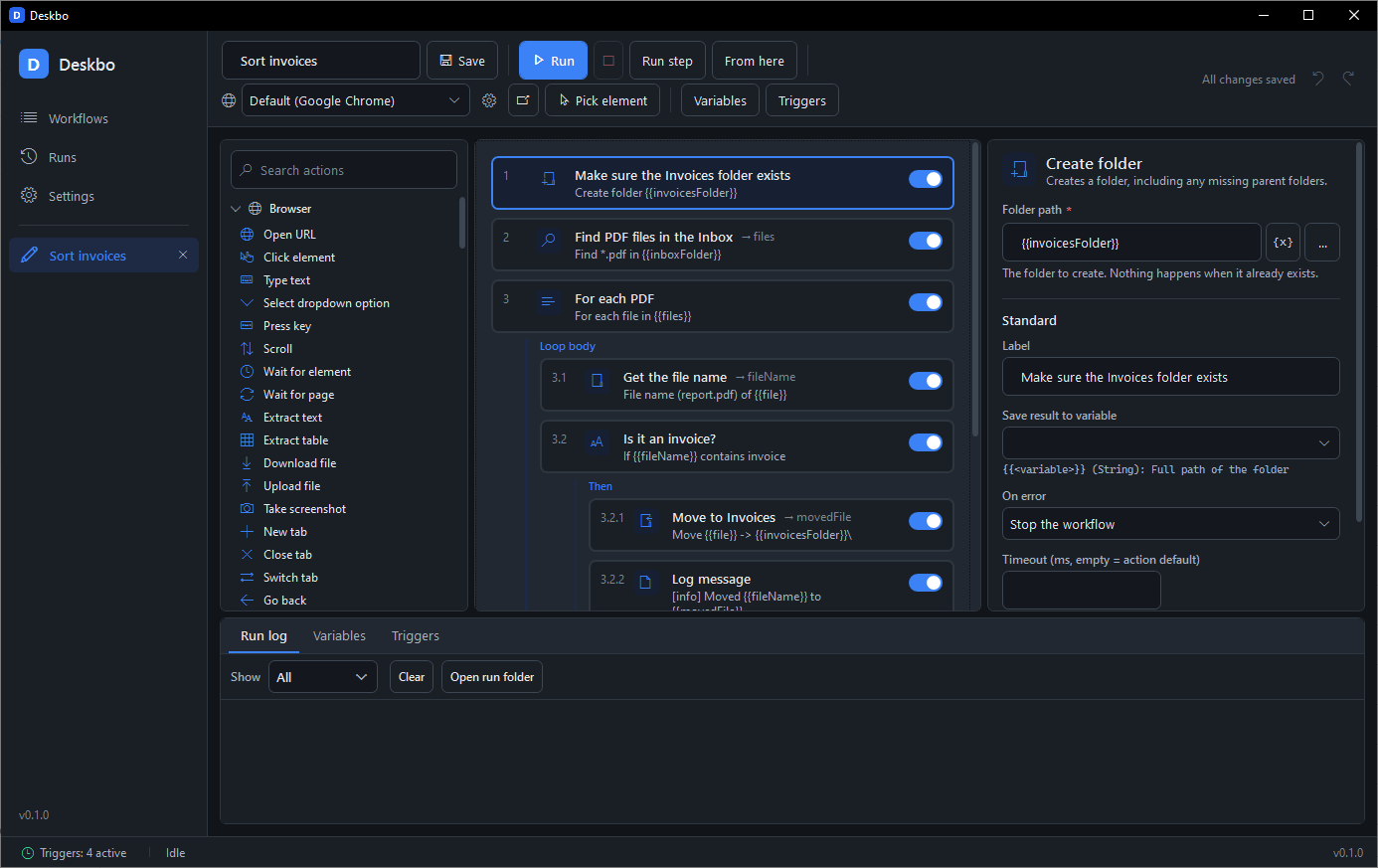
Steps, in the order you would do them yourself.
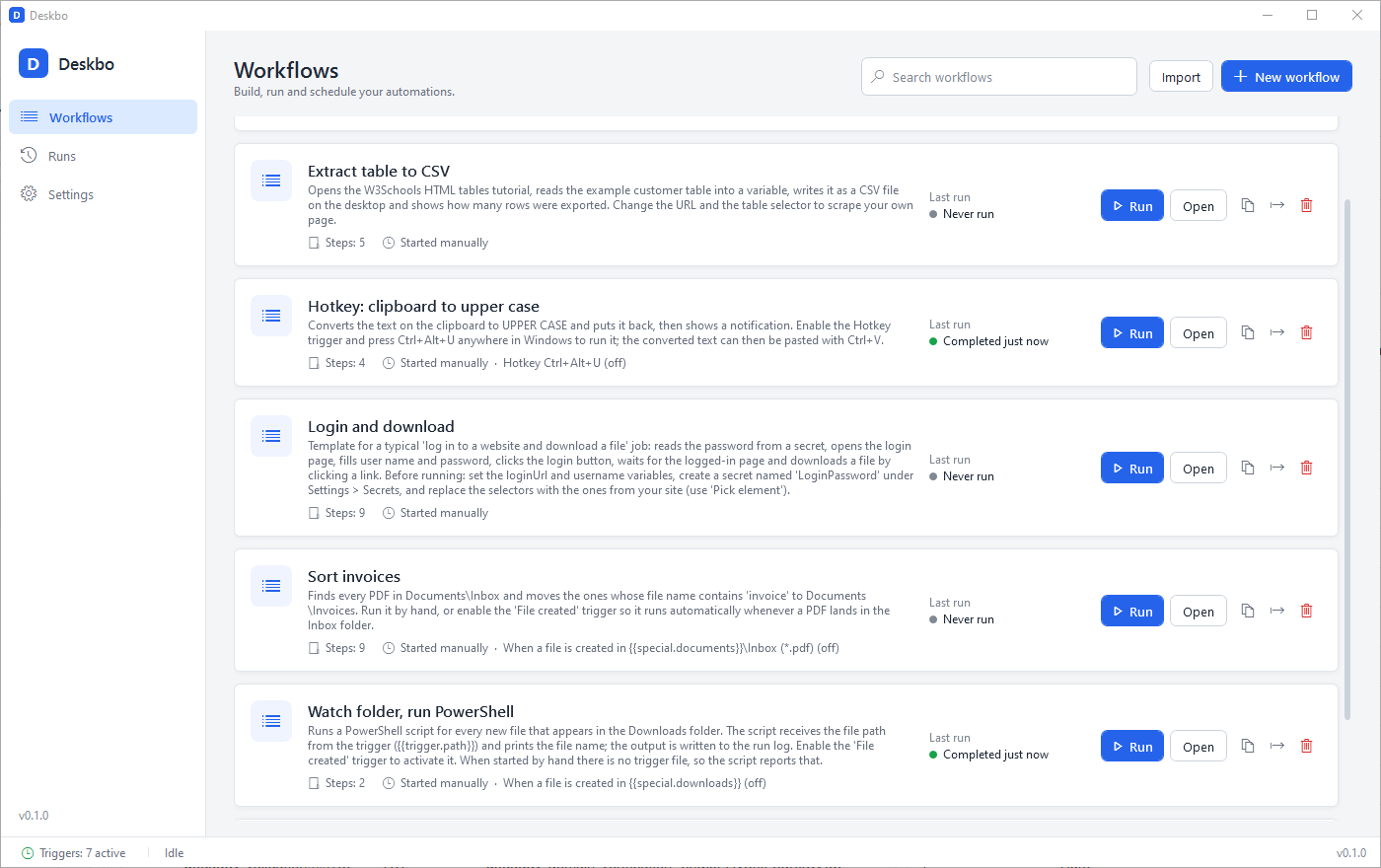
Every step is a card with a plain-English name. Loops and conditions hold other steps inside them, so the workflow reads like a checklist. These are the four main steps of the "Sort invoices" workflow in the screenshots, without its housekeeping steps.
Find PDFs
For each PDF
Is it an invoice?
Move to Invoices
Values in {{double braces}} are variables. Pipes such as {{file | fileName}} transform them, and every text box has a picker so you never have to type a variable name from memory.
125 actions in 7 categories.
Every action is in the toolbox, grouped and searchable. Fill in a few fields, and the property panel tells you what each one does.
Browser
33 actionsDrives the Chrome, Edge, Brave, Opera or Vivaldi already on your PC. Logins are kept between runs.
- Click element, Type text, Fill form
- Extract table – straight to CSV
- Download file, Upload file, Save browser session
Files & Folders
22 actionsEverything you do in Explorer, plus reading and writing text, CSV and JSON.
- Find files, Copy, Move, Rename
- Zip, Unzip, Wait for file change
- Read CSV, Write JSON, Get file info
Desktop
21 actionsWorks with any Windows program, even one with no automation interface of its own.
- Open, Close, Focus application
- Press keys, Type text, Mouse click and drag
- Take screenshot, Read and write clipboard
System
23 actionsScripts, web services and e-mail from the same workflow.
- Run command, Run PowerShell, Run Python
- HTTP request, Call webhook, Send email
- Read registry value, List processes, Show notification
Logic
8 actionsConditions with Then and Else branches you drop steps into.
- If – equals, contains, greater than, regex …
- If file exists, If window exists
- If element exists, If HTTP status
Loops
7 actionsRepeat a block of steps over files, rows or a count. Loops nest inside each other.
- For each file, For each item
- For each row – from CSV or a web table
- Repeat, While, Break, Continue
Variables
11 actionsCarry values from one step to the next; secrets are stored encrypted and masked in logs.
- Set variable, Increment, Append to list
- Transform text, Calculate, Add to date
- Get secret, Parse JSON
Every step has
built in- On error: stop, continue or retry with a delay
- A timeout and a label of your own
- Save result to variable
- Run this step alone while designing
Pick elements in your real browser.
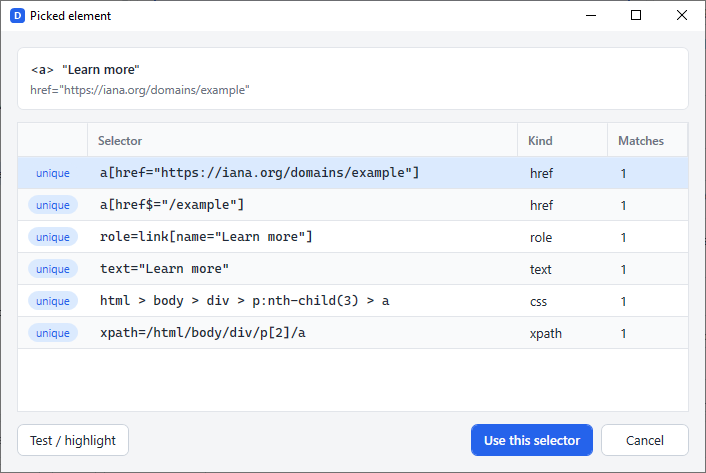
No copying selectors out of developer tools. Open the page in the browser you already use, click the button or field you mean, and Deskbo writes the step for you.
-
Click, doneDeskbo highlights the element under your mouse and, when you click, fills in a validated selector.
-
Several candidates, stable firstIds, data attributes, roles, visible text, CSS and XPath are listed with their match count. Generated ids that change on every page load are rejected on purpose.
-
Test before you runThe Test button shows how many elements match and flashes them on the page, so a wrong selector never gets into the workflow.
Also in the browser category: downloads and uploads, cookies, saving and restoring a logged-in session, extracting tables to CSV, tabs and running JavaScript.
Starts when you say.
Start a workflow by hand, on a timer, when a file lands in a folder, when you press a hotkey, or when another program calls in. Deskbo can sit in the tray and start with Windows, so triggers keep working without the window open.
Each trigger passes what it knows into the workflow – the new file's path as {{trigger.path}}, a webhook's JSON as {{trigger.body}}. Workflows can also be started from the command line with Deskbo.exe --run "name", which works with Windows Task Scheduler.
Build it, run it, forget about it.
Three steps, in this order. Most workflows take a few minutes from a blank page to a first successful run.
Drag steps into place
Search the toolbox, drag an action into the flow and fill in its fields. Drop steps inside an If or a loop to nest them. The property panel explains every field.
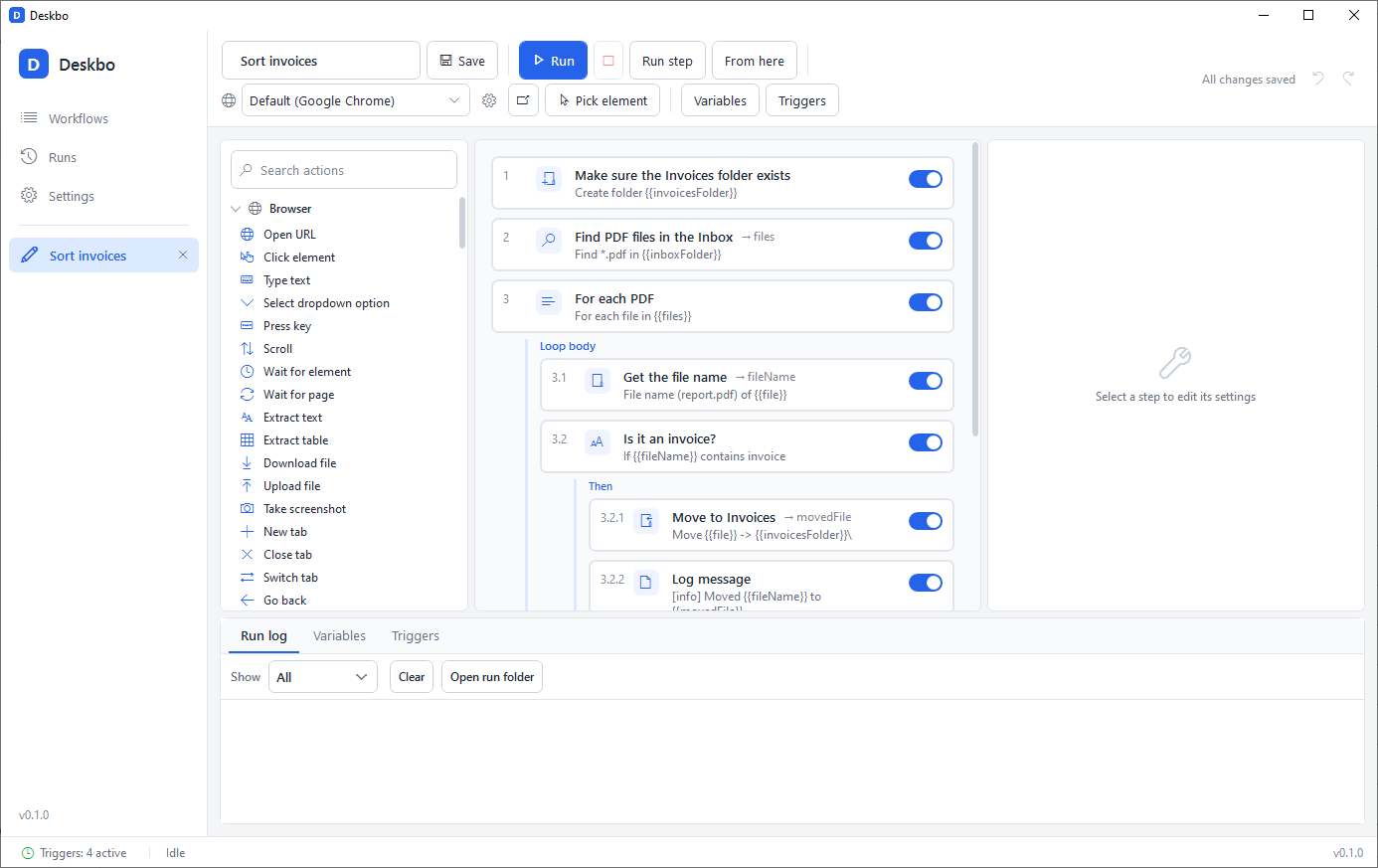
Run it and read the log
Press Run. The run log shows every step with its status and duration. A failed step says what to check – for example that a selector matched nothing – and you can run a single step while designing.
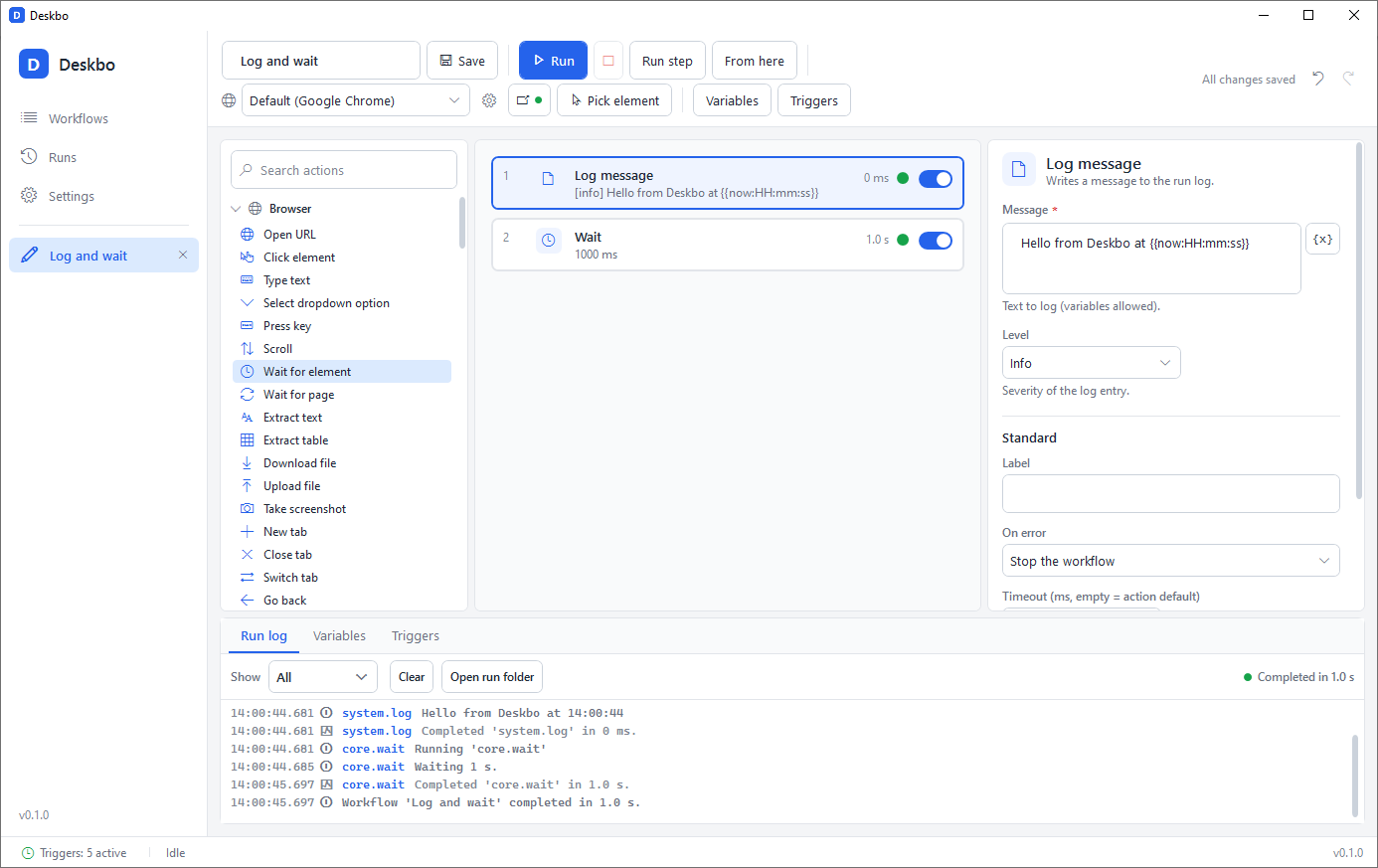
Add a trigger and minimise
Choose a schedule, folder, hotkey or webhook in the Triggers tab. Deskbo waits in the tray, runs the workflow when the trigger fires and keeps a history of every run.
Your data stays yours.
Deskbo is a program on your PC, not a service. There is nothing to sign up for and nothing leaves your machine unless a step of your own workflow sends it.
Runs locally
Workflows run on your computer, in your browser, with your files. No Deskbo servers are involved.
Plain JSON files
Every workflow is a readable file you can back up, copy to another PC, put in version control or edit by hand.
No account, no cloud, no telemetry
Deskbo does not phone home. It does not collect usage data and does not need you to log in.
Secrets encrypted by Windows
Passwords and API keys are stored with Windows DPAPI, readable only by your Windows user on that machine, and masked in every log.
"steps": [
  { "type": "file.find", "label": "Find PDFs", "parameters": { "folder": "{{inboxFolder}}", "pattern": "*.pdf" }, "outputVariable": "files" },
  { "type": "loop.forEach", "parameters": { "list": "{{files}}", "itemVariable": "file" }, "children": { "body": [ … ] } }
]
Light or dark, your language.
Switch the theme or the interface language in Settings and every open window follows at once – no restart. "Follow Windows setting" tracks your system's app mode live.
- enEnglish
- deDeutschGerman
- frFrançaisFrench
- esEspañolSpanish
- ruРусскийRussian
- trTürkçeTurkish
- hiहिन्दीHindi
The toolbox, step cards, property editors, trigger panel and tray menu are translated. Run logs and error messages stay in English so they are easy to search and share.
Pay once. Keep it.
A perpetual licence, no subscription. Planned prices for the public release; a free 14-day trial will be available at launch.
Personal
For your own PCs at home or at work.
Perpetual licence, planned price
- 1 user, 2 PCs
- All 125 actions and 12 triggers
- All 1.x updates included
- Use at work allowed
Pro
For people who rely on Deskbo every day.
Perpetual licence, planned price
- 1 user, 3 PCs
- All 125 actions and 12 triggers
- All future major versions included
- Priority e-mail support
Both licences may be used commercially. Free 14-day trial at launch, no card needed.
Deskbo is Windows-only (10 and 11, 64-bit). It does not run on macOS or Linux and does not drive Firefox.
Hear when Deskbo is available.
Version 0.1 is feature-complete with 751 automated tests. The signed installer, automatic updates and licence activation are being finished now. Leave your e-mail address and we will tell you when the download and the trial are ready.
One e-mail at launch, maybe one or two before. No newsletters, no sharing. Privacy
Questions people ask.
Which versions of Windows does Deskbo run on?
Windows 10 and Windows 11, 64-bit. Deskbo is built on .NET 8, which does not run on Windows 7 or 8, so those are not supported. The .NET 8 Desktop Runtime is required; the installer is planned to install it when it is missing.
Which browsers can it automate?
Google Chrome, Microsoft Edge, Brave, Opera, Vivaldi and Chromium – the copy that is already installed on your PC. Deskbo does not ship its own browser. By default it uses a persistent profile, so a site you logged into once stays logged in for the next run.
What about Firefox?
Not in this version. Firefox is detected but reported as unsupported; only Chromium-based browsers can be automated. Edge is installed with Windows, so every supported PC has at least one browser that works.
Is there a macOS or Linux version?
No. Deskbo is a Windows application and there are no plans for other platforms at the moment.
Does it work offline?
Yes. Deskbo runs entirely on your PC and needs no connection to any Deskbo service. Only steps that use the internet themselves – opening a web page, an HTTP request, sending an e-mail – need one.
Can I use it at work or for clients?
Yes. Both the Personal and the Pro licence allow commercial use. A licence is for one person; Personal covers 2 PCs and Pro covers 3.
How do updates work?
Personal includes every 1.x update. Pro includes all future major versions as well. Automatic updates are part of the public release; if a version ever has to be installed by hand, it is a download of the signed installer over the existing one. Your workflows are plain files and stay where they are.
Is there a trial?
A free 14-day trial with all features is planned for launch. No card and no account are needed. Sign up above and we will tell you when it is ready.